SEO monitoring is not only about tracking keywords. For Magento stores, it is about revenue impact, crawl efficiency, page performance, and index health across a complex catalog structure. Due to Magento's high-performance nature and its tendency to generate complex URL structures through layered navigation and product attributes, a generic SEO approach is insufficient. Performance monitoring must be granular, template-based, and focused on the bottom line.
Define the right SEO KPIs for Magento
Before using any tool, clarify what “performance” means for your store. Because Magento is an enterprise-grade platform, the sheer volume of data can be overwhelming. Focusing on the wrong metrics can lead to "vanity reporting" that doesn't actually drive growth.
Core KPIs to track
Organic traffic by page type (Category, Product, CMS): Total traffic is a blunt instrument. You must know if your growth is coming from high-intent category pages or low-conversion blog posts.
Keyword rankings for commercial and informational intent: Distinguish between users looking to buy "men's leather boots" (commercial) and those asking "how to clean leather boots" (informational).
Organic revenue, conversion rate, and average order value (AOV): These are the ultimate indicators of SEO health. If traffic is up but revenue is down, you are likely ranking for the wrong terms.
Indexed vs non-indexed URLs: Monitoring the gap between how many pages you have and how many Google actually shows is vital for identifying technical debt.
Core Web Vitals (LCP, INP, CLS): Google's user experience signals are now foundational ranking factors.
Crawl budget usage: How efficiently is Googlebot navigating your site? For large Magento catalogs, this is a make-or-break metric.
Why this matters for Magento
Magento generates many URLs through filters, pagination, and layered navigation. If not monitored, these can lead to "index bloat," where Google indexes thousands of near-duplicate pages. Tracking traffic alone can hide serious crawl waste where Googlebot spends more time on your "Price: Low to High" filter pages than on your actual products.
Beyond high-level KPIs, you also need to know Google Search Console insights for Magento SEO to understand how the search engine perceives your complex catalog architecture. While GA4 tells you what users do once they arrive, Search Console reveals the technical hurdles preventing them from finding you in the first place.
Monitor organic traffic by page type
Segmenting traffic is the only way to understand the performance of a Magento store’s architecture. By breaking down traffic by URL pattern, you can identify which parts of the catalog are underperforming.
Recommended breakdown
Category pages (PLPs): These are your primary revenue drivers. They target broad, high-volume keywords.
Product pages (PDPs): These drive long-tail keyword performance. They often have higher conversion rates because the user is looking for a specific item.
CMS pages: These include your homepage, blog, and evergreen content. They build brand authority and top-of-funnel awareness.
Search result & filtered URLs: In a healthy Magento setup, these should usually be excluded from the index. Monitoring them ensures that "noindex" tags are working correctly.
How to do it
Use Google Analytics 4 (GA4) to group URLs by pattern. Magento’s default structure often follows predictable paths. You can create "Content Groups" or use regex filters to view:
/category-name/
/product-name.html (if using the .html suffix)
/blog/ or /cms/
Compare traffic trends before and after SEO changes, such as URL rewrite optimizations, changes to layered navigation rules, or template updates. If a theme update causes category traffic to drop while product traffic remains stable, you know exactly where the technical regression occurred.
Track keyword performance with intent mapping
Do not track keywords randomly. A Magento store needs a structured approach to keyword tracking that reflects the buyer’s journey.
Best practice
Map keywords to specific Magento page types to ensure you aren't cannibalizing your own rankings:
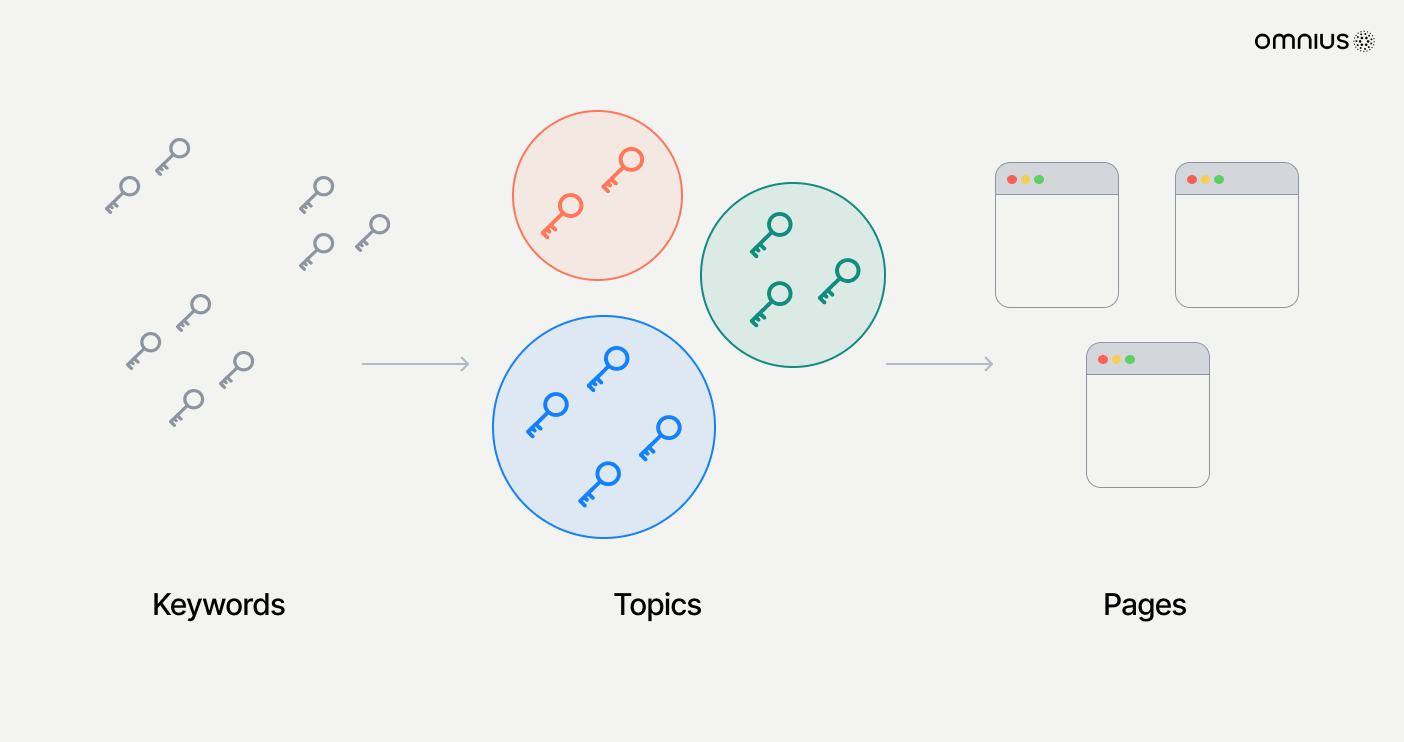
Blog pages: Target informational keywords (e.g., "best running shoes for flat feet").
When monitoring, track the average position, visibility trend (your share of voice compared to competitors), and ranking distribution (how many keywords are in the Top 3, Top 10, and Top 20).
Advanced tip
Use a keyword tracking tool to identify "cannibalization." If multiple URLs (such as two different category filters or a product and its parent category) rank for the same keyword, it signals duplicate content or poor internal linking. In Magento, this is often caused by incorrect canonical tags or an over-reliance on layered navigation.
Monitor index coverage and crawl health
This is the most critical technical aspect of Magento SEO. Because Magento is a database-driven platform, it can technically create an infinite number of pages through various attribute combinations.
Key checks
Indexed pages vs valid canonical pages: In Google Search Console, check the "Indexing" report. Your indexed pages should closely match your sitemap count.
“Discovered – currently not indexed”: This often indicates that Google found the pages but decided they weren't worth the crawl budget, often due to thin content or site speed issues.
Soft 404s: These are common in Magento when products go out of stock or are disabled but the URL remains live with a "Product not found" message.
Parameter URLs being crawled: Check if Google is wasting time on URLs containing ?price=, ?color=, or ?dir=asc.
Tools
Google Search Console is the primary tool for this, but for larger stores, server log analysis is required. Tools that analyze server logs show exactly what Googlebot is doing in real-time, allowing you to catch "crawl traps" before they affect your rankings.
Magento-specific risks
Layered navigation: If not configured with AJAX or proper robots.txt/canonical rules, every filter combination can be seen as a new page.
Pagination: Improperly implemented rel="next" and rel="prev" (though deprecated by Google, the logic still matters) or missing canonicals on page 2+ can lead to duplicate content.
Product variations: Configurable products can generate unique URLs for every color/size combination, which may dilute the authority of the main product page.
Measure Core Web Vitals for key templates
Do not measure Core Web Vitals (CWV) at the domain level only. Magento’s architecture means that a homepage might be lightning-fast while a category page with 50 products and complex filters is painfully slow.
Measure by template
Category listing pages (PLPs): These are often the heaviest pages due to image counts and filter logic.
Product detail pages (PDPs): These rely on high-quality images and related product scripts.
Checkout entry pages: Speed here is critical for converting the organic traffic you’ve worked hard to earn.
Metrics to prioritize
LCP (Largest Contentful Paint): Focus on the hero image, product gallery, or category banner.
INP (Interaction to Next Paint): This is vital for Magento’s interactive elements like layered navigation filters or the "add-to-cart" button.
CLS (Cumulative Layout Shift): Look out for dynamic price updates, promo banners, or "flicker" caused by slow-loading custom fonts or CSS.
Why it matters
Poor CWV on category pages directly impacts rankings and conversion rates. Mobile users, who make up the majority of e-commerce traffic, will bounce if filters take several seconds to respond. Google has explicitly stated that CWV is a ranking signal, making it a mandatory part of SEO monitoring.
Track internal linking and orphan pages
Internal linking is often weak in Magento by default, particularly if you rely solely on the automated category menus. Search engines use internal links to discover content and understand hierarchy.
What to monitor
Orphan products: These are products that exist in the database and sitemap but have no internal links from the main site navigation or categories. They rarely rank.
Click depth: How many clicks does it take to get from the homepage to your best-selling products? Anything more than 3-4 clicks is problematic.
Breadcrumb consistency: Ensure breadcrumbs are generating schema-validated links that reinforce your category structure.
Links from CMS content: Ensure your blog posts link directly to the categories or products they discuss.
SEO impact
Better internal linking improves crawl efficiency by giving Googlebot clear paths to follow. It also strengthens keyword relevance signals by using descriptive anchor text and speeds up the indexing of new product launches.
Monitor SEO changes after Magento updates
Every Magento update or extension installation can affect SEO. Technical regressions are common in complex e-commerce environments.
Always monitor after:
Magento version upgrades: These can change how default templates handle metadata or headers.
Theme changes: A new theme might lack proper H1 tags, have different image loading logic, or change the URL structure.
URL rewrite edits: Magento’s URL Rewrite Management is powerful but can easily create redirect loops if handled incorrectly.
Layered navigation configuration: Changing "Filterable" settings can suddenly expose thousands of new URLs to search engines.
Extension changes: SEO extensions or page builders often overwrite core functionality.
What to compare
Compare the indexed page count, ranking volatility, and crawl errors immediately following a deployment. Most importantly, track the organic revenue trend. A spike in traffic with a drop in revenue after an update usually points to a "broken" checkout or a misconfigured canonical tag that is favoring low-margin pages.
Build an Magento SEO monitoring routine
Consistency is key. SEO is not a "set and forget" task for Magento.
Weekly routine
Keyword movement: Check rankings for your top 20 revenue-generating categories.
Index coverage warnings: Look for new 404s or server errors in Search Console.
CWV alerts: Ensure that no new deployments have degraded page speed.
Monthly routine
Organic revenue and conversion rate: Analyze which page types are driving the most value.
Top landing pages performance: Look for "content decay" where formerly high-performing pages are losing traction.
Crawl stats and index growth: Ensure your index isn't bloating with useless parameter URLs.
Quarterly routine
Content decay analysis: Refresh old blog posts or category descriptions.
Internal linking audit: Use a crawler to identify new orphan pages or high click-depth issues.
Competitor visibility comparison: See if competitors are gaining ground on your core commercial terms.
Connect SEO monitoring to business decisions
SEO data should guide actions, not sit in reports. Monitoring is only valuable if it leads to optimization.
High traffic + low conversion: This suggests a UX or pricing issue. Your SEO is working, but the on-page experience is failing.
Indexed but no traffic: This indicates a content quality problem. Google recognizes the page exists but doesn't find it relevant enough to rank.
Ranking drop after update: This is a clear sign of a technical regression. You should audit your latest code changes.
Crawl spike: If you see Googlebot suddenly crawling 10x more pages than usual, you likely have a layered navigation misconfiguration.
Key takeaway
For Magento stores, SEO performance monitoring must be technical, structured, and revenue-focused. Because of the platform’s complexity, a "big picture" view isn't enough. You must monitor at the template level and keep a constant eye on how the database generates URLs. If you only track rankings or traffic, you miss the real underlying issues that affect long-term visibility, crawl efficiency, and ultimately, your sales.
Scale your Magento store
Actionable Magento SEO knowledge to help your store rank better, get discovered faster, and grow sustainably