The Ultimate Magento SEO Audit Guide: A Comprehensive Technical and Content Strategy
January 15, 2026
Magento (Adobe Commerce) is a robust e-commerce powerhouse, but its complex architecture often creates unique SEO challenges. A thorough audit is the only way to ensure that the platform's power is translated into search engine visibility. This guide provides an exhaustive deep dive into every facet of a Magento SEO audit, from low-level server configurations to high-level content strategy.
Technical SEO Audit (Magento Core)
The technical infrastructure of Magento is the most critical component. If the core configuration is flawed, even the best content will fail to rank.
Site accessibility and indexability
Accessibility defines how easily search engine crawlers can navigate your store's architecture.
Check robots.txt configuration: Access your file via yourstore.com/robots.txt. Magento’s default file is often too restrictive or too broad. You must ensure that internal search result pages (/catalogsearch/) and customer account pages (/customer/) are disallowed to save crawl budget. Conversely, ensure that the /media/ folder—which houses your product images—is accessible so images can appear in Google Image Search.
Ensure important pages are not blocked: Use crawling tools to verify that your primary revenue drivers—category and product pages—do not have a noindex tag. Check the Magento Admin under Content > Design > Configuration to ensure the "Default Robots" setting is not globally set to NOINDEX, NOFOLLOW.
Verify XML sitemap configuration: Magento includes a native sitemap generator. Audit the settings in Stores > Configuration > Catalog > XML Sitemap. Check that "Generation Settings" are enabled and that the frequency is set to "Daily." Ensure that the sitemap includes all product images, as this is vital for e-commerce visibility.
Submit sitemap in Google Search Console: Once the sitemap is generated (usually at sitemap.xml), submit it directly to GSC. Monitor the "Sitemaps" report for any "Couldn't fetch" errors or "Invalid XML" warnings.
Confirm correct store view URLs: For international stores, verify that the base_url for each store view is unique. If you use a directory-based approach (e.g., /en/, /fr/), ensure the directory suffixes are correctly appended and that the "Add Store Code to URLs" setting is functioning without creating redirect loops.
URL structure and canonicalization
Clean URLs are essential for both search engine algorithms and user click-through rates.
Enable SEO-friendly URLs: In the Magento admin, navigate to Stores > Configuration > General > Web > Search Engine Optimization. Ensure "Use Web Server Rewrites" is set to "Yes." This removes the index.php string from your URLs, making them shorter and more professional.
Use hyphens instead of underscores: Under Stores > Configuration > Catalog > Catalog > SEO, check the settings for URL delimiters. Hyphens are the industry standard for word separation in URLs.
Ensure one canonical URL per page: Magento can generate multiple URLs for the same product (e.g., through different categories). You must enable "Use Canonical Link Meta Tag For Categories" and "Use Canonical Link Meta Tag For Products" in the Catalog SEO settings. This tells Google which version is the "master" copy.
Avoid duplicate URLs from parameters: E-commerce sites are plagued by URL parameters for sorting (?dir=asc), filtering, and session IDs (?SID=...). Audit your store to ensure these parameters are either canonicalized to the clean URL or blocked via robots.txt to prevent "thin content" indexing.
Check canonical tags on CMS pages: Standard Magento does not always include canonical tags on CMS pages. Audit your "About Us," "Privacy Policy," and "Terms" pages to ensure they have a self-referencing canonical tag to prevent scraper sites from outranking your original content.
HTTPS and security
Security is a primary ranking factor. Google prioritizes sites that protect user data through encryption.
Force HTTPS for all pages: Ensure that your "Base URL" and "Base Link URL" both start with https://. Use a 301 redirect at the server level (Nginx or Apache) to force all http:// traffic to the secure version.
Check mixed content issues: A "mixed content" error occurs when an HTTPS page loads an image or script via HTTP. This breaks the security padlock in the browser and can negatively impact rankings. Audit your theme files and database for hardcoded http:// links.
Verify correct base URLs: Ensure that the "Secure" and "Unsecure" base URLs in Magento are identical and both use HTTPS. This prevents the platform from trying to switch protocols during a user session.
On-page SEO Audit
On-page SEO involves optimizing the individual elements of a page to help search engines understand the context of your products.
Metadata optimization
Metadata serves as your store's "digital storefront" in the search results.
Unique meta title for every page: Every title should be unique to avoid internal competition. Audit your store for "Duplicate Title Tags" in Search Console.
Meta title length: Maintain titles between 50–60 characters. If they are longer, Google will truncate them; if they are shorter, you are wasting valuable keyword real estate.
Meta description length: Aim for 150–160 characters. Use this space to include a clear "Call to Action" (e.g., "Shop now for free shipping") to improve your CTR.
Avoid duplicated metadata on category pages: Often, the second or third page of a category will have the same meta title as the first. Audit your pagination settings to ensure page numbers are appended to the title (e.g., "Men's Shoes - Page 2").
Use dynamic variables wisely: For stores with thousands of products, use Magento's auto-generation templates. For example, a template of [Product Name] - [Brand] | [Store Name] ensures consistency and uniqueness across the entire catalog.
Heading structure (H1–H6)
Headings create a semantic outline of your page, allowing search engines to parse content efficiently.
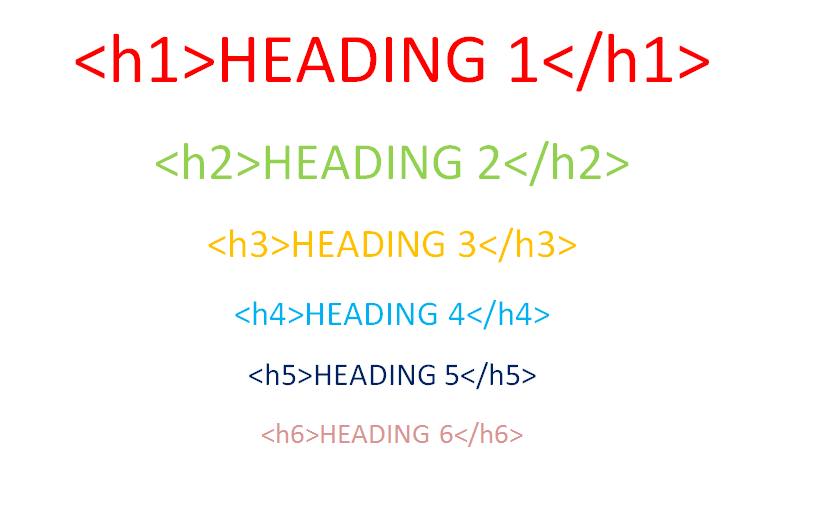
One H1 per page only: The H1 should be reserved for the primary topic. On a product page, this is the exact product name. On a category page, it is the category name.
H1 should match search intent: If you are selling "Blue Suede Shoes," the H1 should be "Blue Suede Shoes," not just "Shoes" or "Product Details."
Logical heading hierarchy: H2 tags should represent the main sections of your description or features. H3 tags should be used for sub-details. Never use an H3 before an H2.
Avoid using headings for styling only: Developers often use <h3> tags for sidebar elements or "Add to Cart" buttons because of the font size. Audit your template files to ensure headings are used for content structure only.
Content quality and semantic coverage
Google’s algorithms are increasingly sophisticated at detecting "thin" or "low-quality" content.
Category descriptions: Most Magento stores leave category pages as blank grids. Audit your categories and add at least 150 words of descriptive text. This text should explain the variety of products available and use semantically related terms.
Product descriptions: Every product should have a unique description. Do not simply copy-paste from the manufacturer, as this creates duplicate content issues across the web. Focus on the benefits, use cases, and technical specifications.
CMS pages: Ensure your "Contact" and "About" pages are high-quality. These pages help establish E-E-A-T (Experience, Expertise, Authoritativeness, and Trustworthiness).
Duplicate Content and Faceted Navigation
Faceted navigation (filters) is the most common cause of technical SEO failure in Magento stores.
Layered navigation control
Layered navigation allows users to filter by size, color, and price, but it creates thousands of virtual pages.
Identify indexed filter URLs: Perform a site:yourstore.com search. If you see URLs containing ?color=... or ?price=..., your filters are being indexed.
Decide on indexable vs non-indexable filters: You may want "Brand" filters to be indexable (e.g., "Nike Shoes") because people search for them. However, "Price" or "Size" filters rarely have search volume and should be set to noindex.
Apply Canonical tags or Noindex: Use an SEO extension or custom code to ensure that non-essential filter combinations point back to the main category URL via a canonical tag.
Avoid crawl budget waste: Use the "Nofollow" attribute on filter links so crawlers don't spend time exploring millions of combinations of "red shoes size 10 under $50."
Pagination handling
Proper pagination URLs: Ensure your pagination uses the ?p=2 format.
Avoid self-canonical on paginated pages: Each paginated page should have a self-referencing canonical tag (Page 2 points to Page 2). Pointing Page 2 to Page 1 via a canonical tag can prevent Google from crawling and indexing the products listed on the second page.
Ensure paginated pages are crawlable: Use traditional HTML links for pagination. Avoid "Infinite Scroll" unless it is implemented with a fallback that allows crawlers to find the underlying paginated URLs.
Performance and Core Web Vitals
Google’s "Core Web Vitals" are now a significant ranking factor, particularly for mobile search.
Page speed and responsiveness
Check LCP, INP, and CLS: Use Google PageSpeed Insights to audit your Largest Contentful Paint (loading speed), Interaction to Next Paint (responsiveness), and Cumulative Layout Shift (visual stability).
Optimize image sizes and formats: Audit your store for large images. Convert PNGs and JPEGs to WebP. Ensure that image dimensions are explicitly defined in the HTML to prevent layout shifts.
JavaScript bundling and minification: Magento can bundle JS files to reduce the number of HTTP requests. However, poor bundling can create massive files that slow down the site. Audit your bundling strategy to ensure only necessary code is loaded.
Enable full-page cache: Ensure Varnish or the built-in Magento Full Page Cache is active. Check the X-Magento-Cache-Debug header to confirm "HIT" status.
Use a CDN: A Content Delivery Network like Cloudflare is essential for serving static assets (images, CSS, JS) from a server geographically close to the user.
Mobile optimization
Responsive theme check: Use the "Mobile-Friendly Test" to ensure your theme scales correctly.
Mobile usability errors in Search Console: Monitor the "Mobile Usability" report for errors like "Text too small to read" or "Clickable elements too close together."
Avoid intrusive popups: Google penalizes sites that use large "interstitials" (popups) that block the main content on mobile devices.
Structured Data and Rich Results
Structured data helps search engines display your products with prices, ratings, and availability directly in the search results.
Schema implementation
Product schema: Every product page must include JSON-LD schema containing the name, image, description, sku, and offers (price and currency).
Price and Availability: Ensure that the schema updates dynamically. If a product goes out of stock, the schema should reflect OutOfStock to prevent misleading users in search results.
Rating and Reviews: If you have customer reviews, ensure the aggregateRating property is included. This generates the "star ratings" in Google.
Breadcrumb schema: Implement breadcrumb schema so Google can show the site's hierarchy in the search snippet.
Organization schema: This should be present on the homepage to link your website to your official brand name and social media profiles.
Internal Linking and Site Architecture
Site architecture determines how "link juice" (authority) flows through your store.
Navigation structure
Clear category hierarchy: Use a logical tree structure. Avoid having 50 top-level categories; instead, group them into 5-7 main departments with sub-categories.
Limit depth: Ensure that every product is reachable within 3 clicks of the homepage.
Avoid orphan pages: An orphan page has no internal links pointing to it. Audit your store to ensure all active products are linked from a category or the sitemap.
Internal links
Contextual links: Within your category descriptions, link to other relevant categories. This helps search engines understand the relationship between different product types.
Avoid over-optimized anchor text: Do not use the exact same keyword for every link. Use natural variations like "Check out our range of sneakers" instead of just "Sneakers."
Ensure links are crawlable: Some Magento themes use JavaScript to generate menus or "Related Products." Ensure these links are present in the raw HTML source code.
Blog and Content SEO
A blog is the best way to target informational keywords that aren't addressed by product pages.
Blog URLs: Ensure your blog is hosted on your main domain (e.g., store.com/blog/) rather than a subdomain, to consolidate authority.
Target one main topic per article: Do not try to rank for "Shoes" with a blog post. Instead, target "How to clean white leather sneakers."
Internal linking to products: Every blog post should act as a funnel, linking back to the relevant category or product pages to drive sales.
Optimize images with alt text: Blog images are often overlooked. Every image should have an alt tag that describes the image while incorporating relevant keywords.
Index Monitoring and Error Audit
Continuous monitoring is required to catch technical regressions.
Search Console and error tracking
Check Coverage report: Look for "Excluded" pages. If thousands of valid products are excluded, you likely have a crawling or duplicate content issue.
Fix Soft 404s: A soft 404 occurs when a page is empty but still returns a "200 OK" status. Ensure that out-of-stock or discontinued products either redirect to a similar product or return a true 404/410 status.
Redirect chains: Audit your redirects. If Page A redirects to Page B, which then redirects to Page C, you are losing link equity and slowing down the crawler.
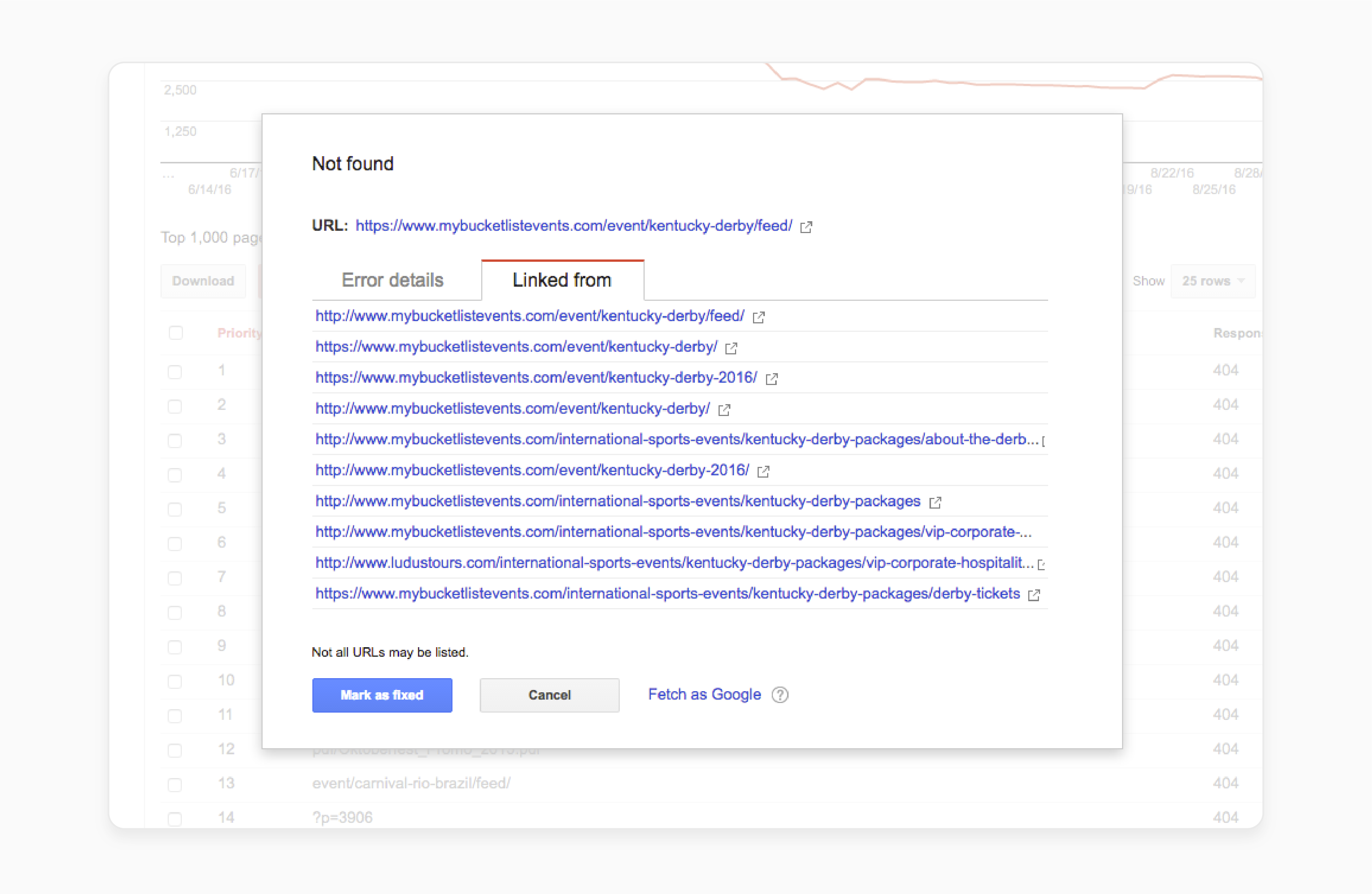
Broken internal links: Regularly crawl your site to find 404 errors. These provide a poor user experience and can hurt your rankings.
Magento-specific SEO Settings Review
Finally, review the settings that are unique to the Magento platform.
Correct store view language and locale: In Stores > Configuration > General > General, ensure the locale is set correctly for each store view.
Hreflang implementation: For multi-regional stores, hreflang tags are mandatory. They tell Google which language version of a page to show to users in different countries.
Review extension conflicts: Magento SEO extensions often conflict with each other or with the core code. Audit your installed modules to ensure they aren't generating multiple sets of meta tags or conflicting canonicals.
Avoid auto-generated thin pages: Some extensions create pages for every possible attribute combination. Disable any feature that creates pages with no unique content.
SEO Audit Deliverables
A successful audit must result in actionable tasks.
Technical issues list: A prioritized list of bugs (broken links, sitemap errors, server speed).
Duplicate content map: A strategy for handling your faceted navigation and canonical tags.
Metadata optimization plan: A spreadsheet for rewriting titles and descriptions for your top 100 revenue-generating pages.
Content improvement recommendations: A list of categories that need text and blog topics that align with your product range.
Performance optimization roadmap: A technical brief for developers to improve Core Web Vitals scores.
Conclusion
A Magento SEO audit is not a one-time task. It is an ongoing process that helps your store stay competitive, scalable, and visible as your catalog, traffic, and business goals grow. By auditing technical SEO, on-page optimization, content quality, performance, and index control, you can uncover hidden issues that silently limit your rankings and conversions.
However, Magento’s default features are often not enough to handle advanced SEO needs such as faceted navigation control, structured data, metadata automation, or large-scale content optimization. That is where specialized Magento SEO extensions become essential. The right extensions help you implement SEO best practices faster, reduce manual work, and maintain consistency across thousands of pages.
A well-audited store combined with the right SEO extensions is the foundation for sustainable traffic, better user experience, and long-term revenue growth.
Scale your Magento store
Actionable Magento SEO knowledge to help your store rank better, get discovered faster, and grow sustainably